
When someone Googles “cabin near Gatlinburg with hot tub,” what shows up in the search results matters. The title and description beneath your link are often the first — and only — impression you get before a guest decides to click or scroll past.
Until now, CraftedStays auto-generated those meta tags based on your property details. That works well for most hosts. But if you want full control over how each property appears in Google, social media shares, and AI-powered search tools like ChatGPT — you now have it.
What’s New: SEO Meta Overrides
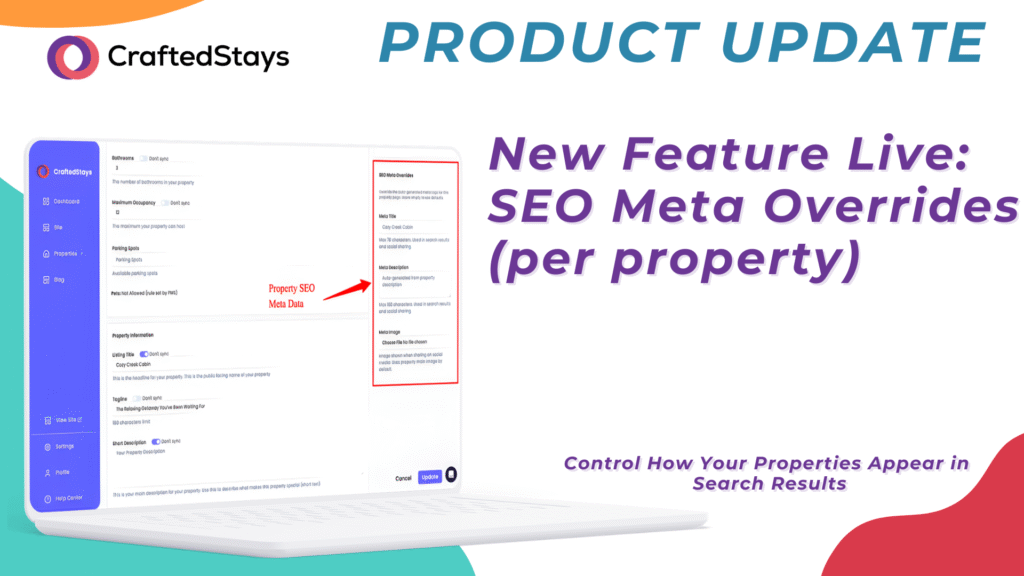
You can now customize the meta title, meta description, and social sharing image for each individual property on your CraftedStays site.
These are the fields that control:
- What Google displays in search results when someone finds your property
- What shows up when your property link is shared on Facebook, Instagram, iMessage, or any social platform
- How AI tools like ChatGPT, Google SGE, and Perplexity understand and recommend your property
How to Set Custom Meta Tags
- Log in to your CraftedStays Dashboard.
- Navigate to Properties and select the property you want to edit.
- Scroll to the SEO Meta Overrides section.
- Fill in your custom Meta Title, Meta Description, and upload a Social Sharing Image.
- Save your changes.
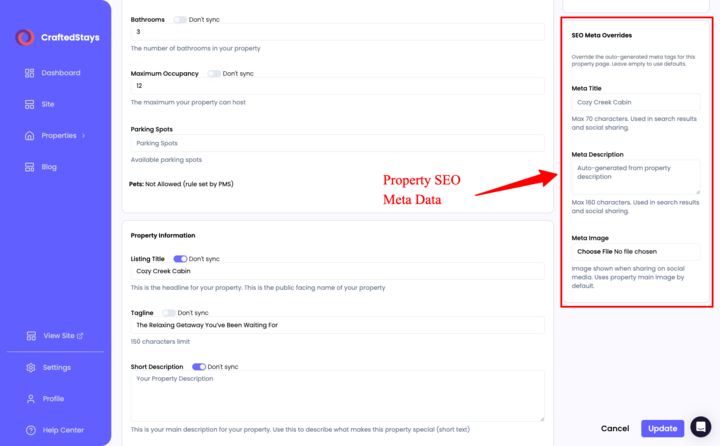
All fields are optional. If you leave them empty, CraftedStays continues auto-generating your meta tags from your property details — exactly like before. Nothing breaks.
Why This Matters
Stand Out in Search Results
Your auto-generated meta description might say “3 bedroom cabin in Pigeon Forge.” A custom one could say, “Family-friendly mountain cabin with private hot tub, game room, and panoramic Smoky Mountain views — book direct and save.” Which one gets the click?
Control Your Social Shares
When a past guest shares your property link on Facebook or texts it to a friend, the title, description, and image that appear are pulled from your meta tags. Custom overrides let you choose exactly what shows up — instead of leaving it to whatever the platform auto-scrapes.
Get Found by AI Search
AI-powered tools are increasingly how travelers discover places to stay. These tools pull from structured metadata to build their recommendations. Better meta descriptions give AI more context about your property, which means better visibility when someone asks ChatGPT, “Where should I stay near Asheville?”
Best Practices for Writing Meta Tags
Meta Title (50–60 characters):
- Lead with your property’s strongest selling point
- Include your location
- Keep it concise — Google truncates long titles
Example: “Luxury Lakefront Cabin | Hot Tub & Dock | Lake Tahoe”
Meta Description (120–155 characters):
- Describe the experience, not just the specs
- Include a reason to book direct
- Use natural language — write for guests, not algorithms
Example: “Wake up to lake views from every room. Private dock, hot tub, and 5 minutes to downtown. Book direct for the best rate.”
Social Sharing Image:
- Use a high-quality hero image of your property
- Landscape orientation works best (1200x630px recommended)
- Choose an image that creates an emotional response — not just a wide-angle interior shot
Pro Strategy: Prioritize Your Top Properties First
You don’t need to customize meta tags for every property on day one. Start with the properties that get the most traffic or the ones you’re actively marketing. Those are the listings where a compelling meta description can make the biggest difference in click-through rates.
For a detailed walkthrough, check out our help article: How to Set Custom SEO Meta Tags for Your Properties
Your properties deserve to stand out — in search results, social shares, and AI recommendations. CraftedStays gives you the tools to control exactly how the world sees your brand.